Quickstart Guide
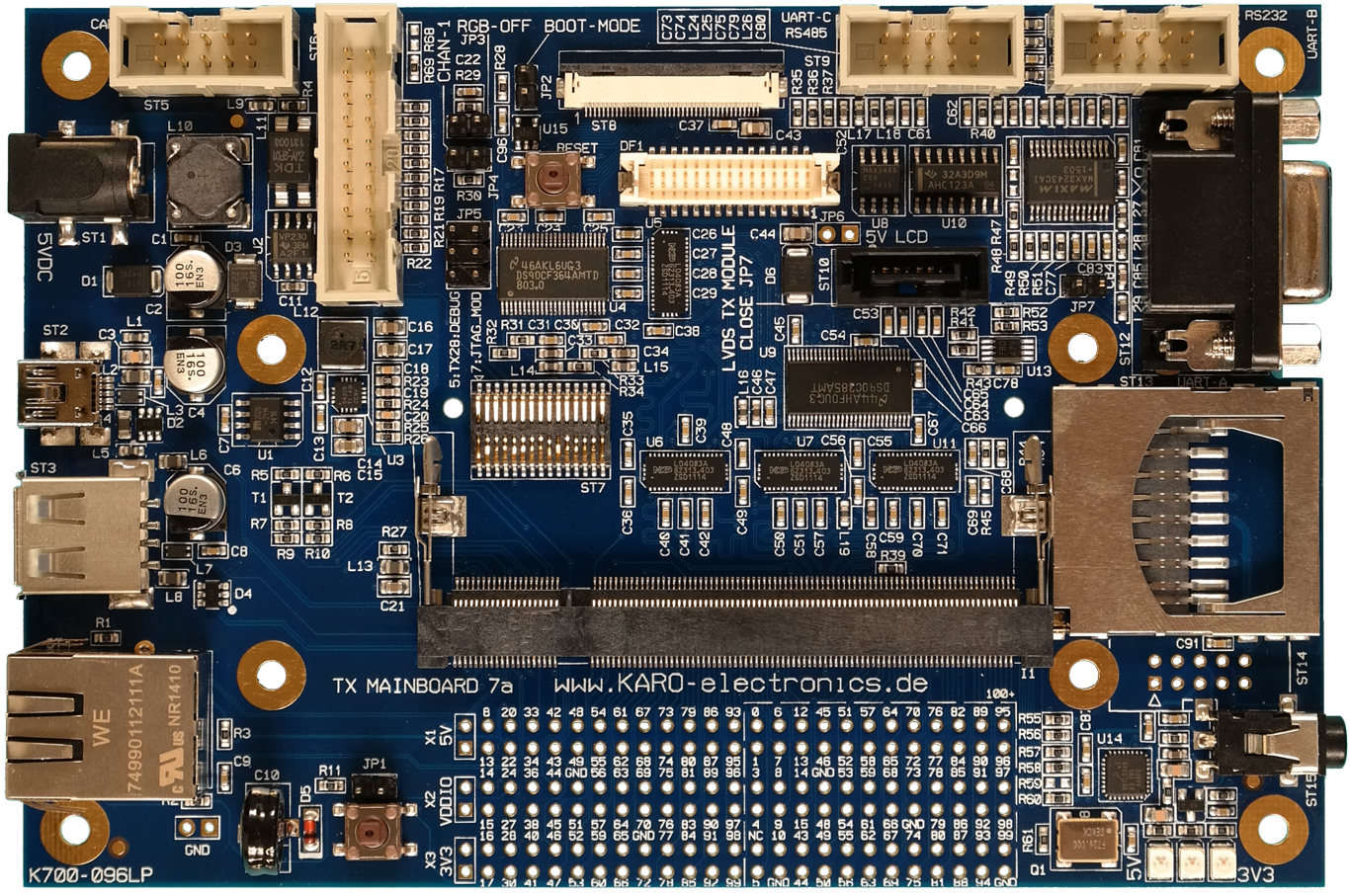
This guide will help new users to quickly use our TX Mainboard 7 Linux Evaluation Kit.
Detailed information about the TX module itself is available on our website.
For further details, refer to the Mainboard 7 Hardware Documentation and the baseboard schematics
available in the Customer Area
Unboxing
When opening the package of the Development Kit you should find the following components inside:
|
|
|

|

|

|
Wiring
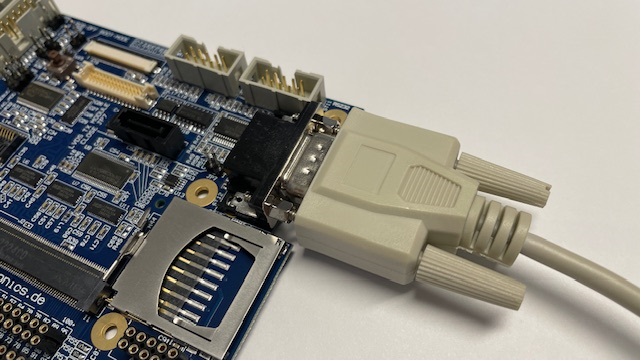
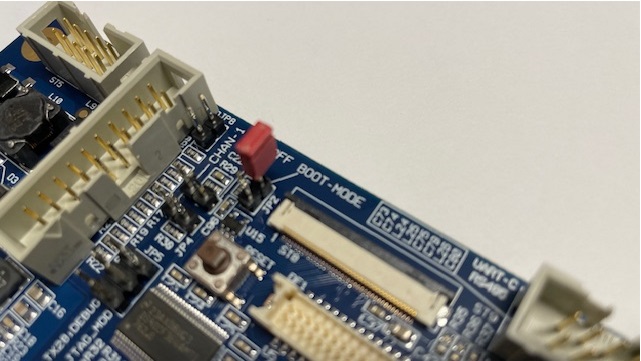
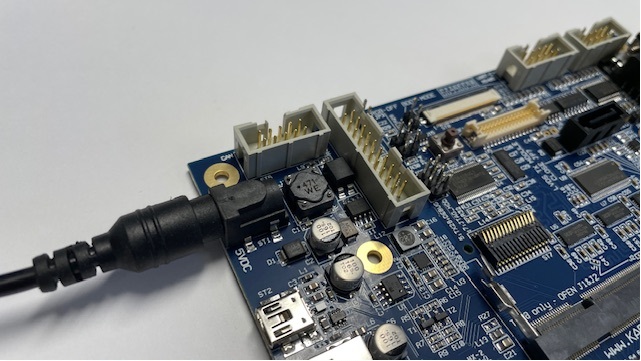
Connect the TX Mainboard 7 as shown in the image below.
|
|
|
|
|
|
Booting, First steps
After connecting the 5V DC power your board will boot. Notice the linux heartbeat shown by the LED.
Your module is pre-programmed with our karo-image-minimal headless Linux. To get terminal access connect the RS232 cable to your PC. Use a Terminal Program with these Terminal Settings. Login as root.
Next Steps Usage
Topic |
Description |
|---|---|
Re-installing the OS |
|
Display support |
The GLYN TFT Family Concept ist fully supported by our Evaluation Kits. https://www.glyn.com/Products/Displays/TFT-Family-Concept We also provide a Ready To Use weston image to flash your TX module in our Download Area. |
Next Steps Software
Topic |
Description |
|---|---|
Customizing the BSP |
If you want to use our Yocto Layer, or want to create your own customized Linux distribution. Go to: Yocto Guide |
WiFi Guide |
To enable WiFi support. Go to: WiFi/BT Guide |
Machine Learning |
Using NPU and starting ML Demos. Go to: Machine Learning Guide |
QT6 Development |
Develop a QT6 app for your customers. Go to: QT Guide |
Electron Development |
Develop an Electron app for your customers. Go to: Electron Guide |
Next Steps Hardware
Topic |
Description |
|---|---|
TX Mainboard 7 Pinouts |
See the |
TX Developers Guide |
TX-Standard pinout, description and layout guidelines. Go to: TX-GUIDE |