Coral Edge TPU Guide
Using a Coral Edge TPU accelerator (Mini PCIe) on our modules for on-device AI inference. For running ML models on the SoC’s internal NPU see the Machine Learning Guide.
Introduction
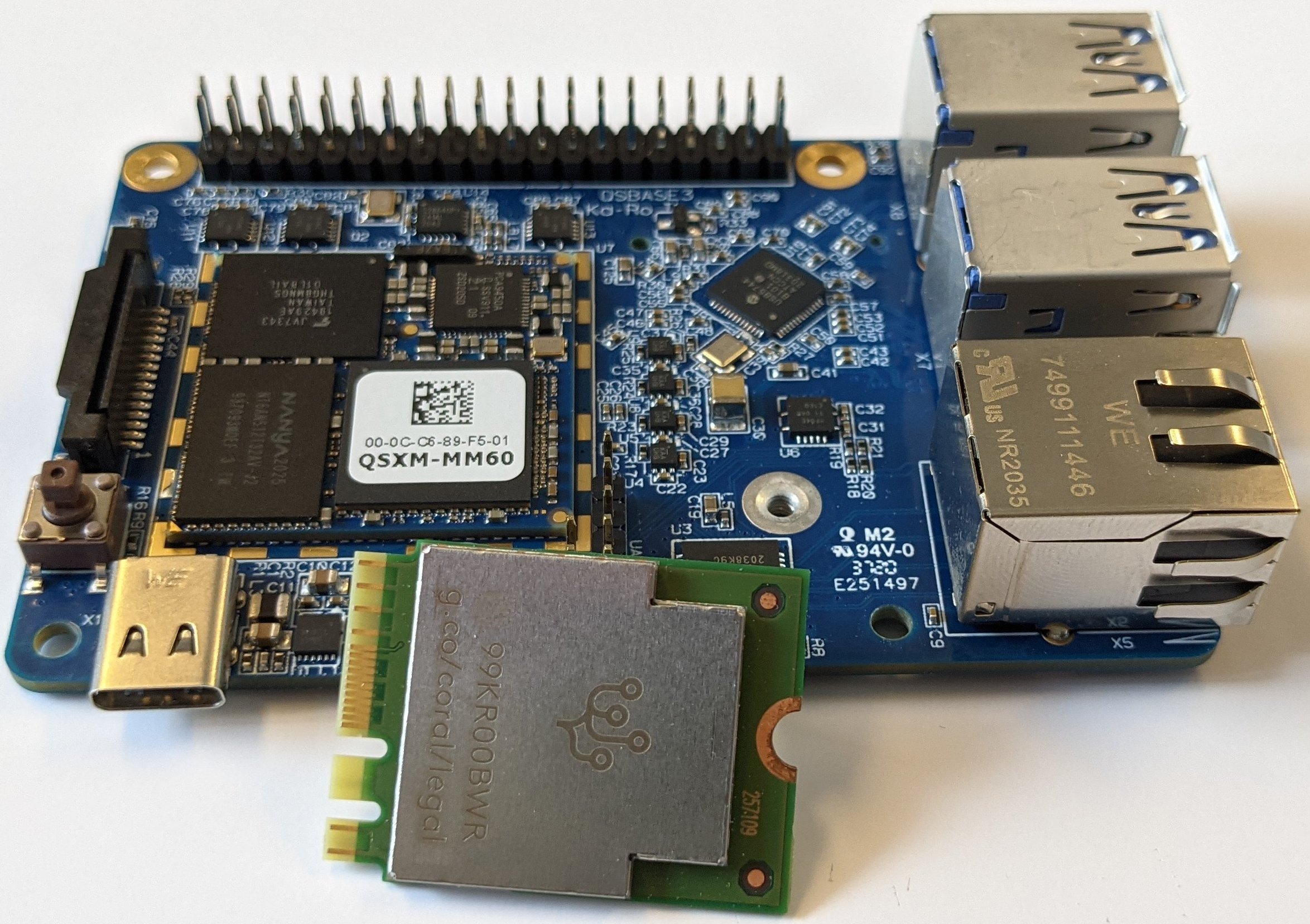
Coral helps you bring on-device AI application ideas from prototype to production. They offer a platform of hardware components, software tools, and pre-compiled models for building devices with local AI. - coral.ai
The Coral Mini PCIe accelerator can be attached to our QSBASE3 baseboard, meaning QSXM and QSXP modules - see the Coral PCIe accelerator and the Add-on Devices compatibility list.
Image
You have two options using it:
Download the
karo-image-mlfitting your module from our Download Area.To compile the image yourself follow the Yocto Guide and compile
karo-image-ml(see also the Machine Learning Guide).
Setup
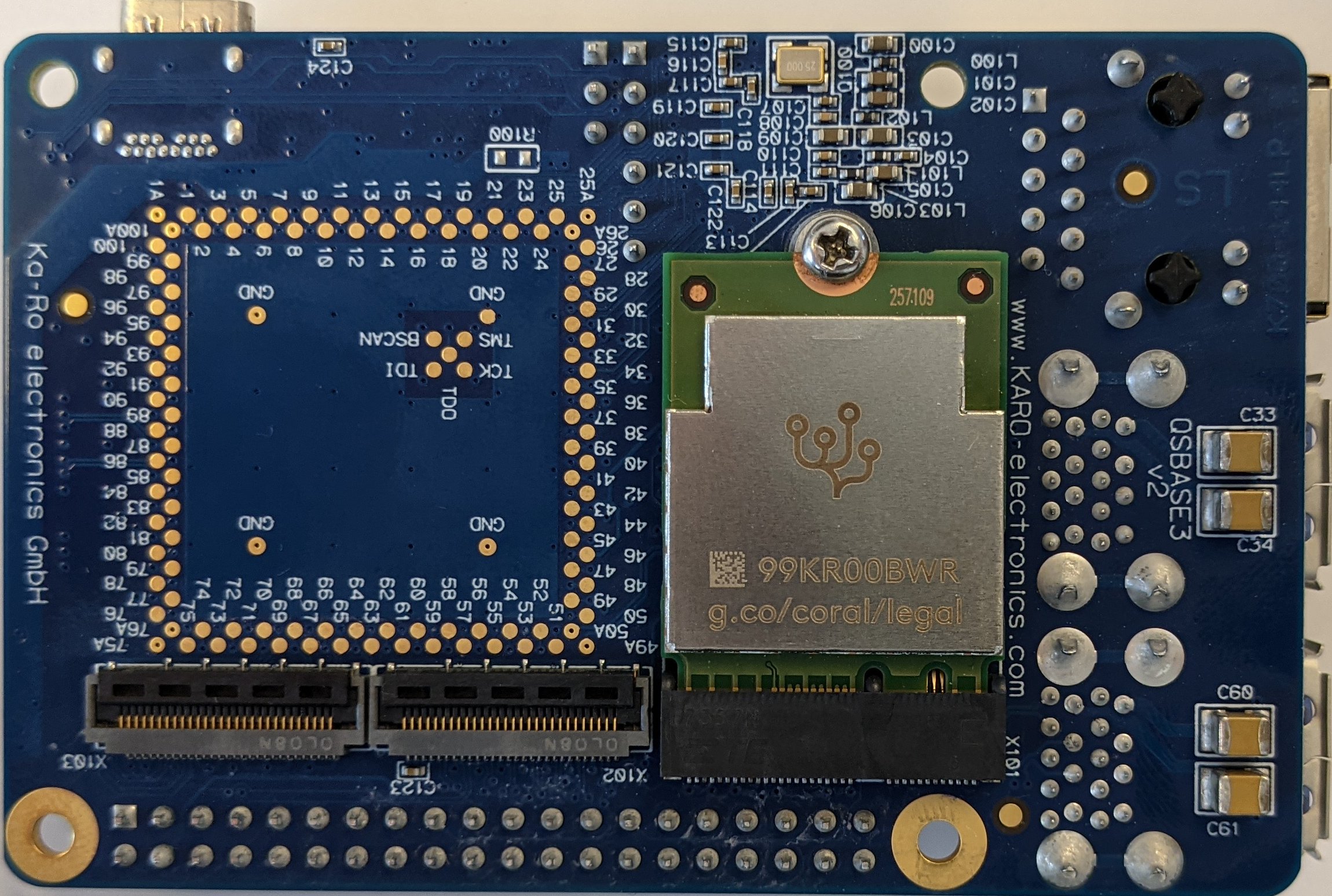
Mount the Coral PCIe module to our QSBASE3 baseboard:
Enabling PCIe
PCIe has to be enabled for the Mini PCIe slot on QSBASE3. Load the matching FDT overlay in the U-Boot environment (see Devicetree Overlays):
Module on QSBASE3 |
FDT overlay |
|---|---|
QSXM |
|
QSXP |
|
E.g. for a QSXP module:
setenv overlays_qsbase3 ${overlays_qsbase3} qsxp-pcie
saveenv
reset
User Space
For using the Edge TPU from user space — installing the PyCoral library and running a model
on the TPU with karo-image-ml — see Coral Edge TPU in the
Machine Learning Guide.